
GearUP Booster Review: Reduce Ping, Lag & Packet Loss
High ping, packet loss, and unstable connections can make online gaming frustrating. You may have a fast internet connection and still experience delayed actions, ping spikes, or inconsistent gameplay when connecting to a distant or congested game server.
GearUP Booster is a gaming connection optimization tool designed to help players improve the network path between their device and game servers. Instead of changing the way a game is played, GearUP focuses on connection optimization, with features designed to address high ping, packet loss, jitter, and cross-region connection instability.
Disclosure: This article contains affiliate links. If you purchase or subscribe through our link, we may earn a commission at no additional cost to you.
In this GearUP Booster review, we’ll explain how it works, what it can realistically improve, how to use it, its advantages and limitations, and whether it is worth trying.
What Is GearUP Booster?
GearUP Booster is a game connection optimizer built for online gaming. Its main purpose is to improve the network connection between your device and the server used by your game.
According to GearUP, its service is focused on connection optimization rather than changing gameplay. The company currently advertises support for more than 3,000 games and lists support across Windows, mobile devices, and several console-related platforms.
GearUP is particularly aimed at situations where the connection between your ISP and a game server is not ideal. This can happen when a route becomes congested, when you are playing on a server in another region, or when your normal connection experiences instability.
However, GearUP is not a magic solution for every type of lag. If your problem comes from low FPS, an overloaded computer, insufficient hardware, poor Wi-Fi coverage, or a game server experiencing its own problems, a network optimizer may not solve the underlying issue.
How Does GearUP Booster Work?
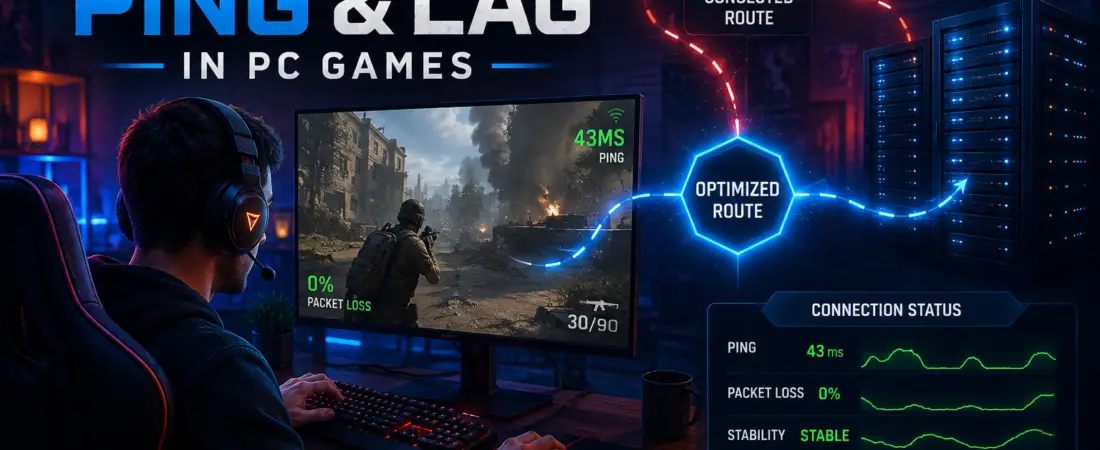
The basic idea behind GearUP is relatively simple: instead of relying entirely on the normal route used by your internet connection, GearUP can optimize the route used for gaming traffic.
GearUP explains that its network is designed to avoid congested routes and provide optimized paths toward game servers. The goal is to reduce unnecessary network delay and improve connection stability.
This can be especially useful for players who regularly connect to servers outside their own country or region.
Why Can Network Routing Affect Ping?
Your gaming data does not necessarily travel through the shortest or most efficient path between your device and the game server.
A normal internet connection can pass through multiple networks and routing points before reaching the destination. If one part of that route becomes congested or unstable, you may experience:
- Higher ping
- Ping spikes
- Packet loss
- Jitter
- Temporary connection instability
- Difficulty playing on distant regional servers
GearUP attempts to optimize this connection path specifically for gaming traffic.
What Is Adaptive Intelligent Routing (AIR)?
One of GearUP’s newer technologies is Adaptive Intelligent Routing (AIR).
AIR is designed for supported games that can use multiple servers. GearUP explains that AIR can connect users to multiple servers and dynamically switch between them as the game server situation changes.
The purpose is to maintain a suitable connection without requiring the player to repeatedly restart the boosting process whenever the game moves them between supported servers.
For supported games, AIR is enabled automatically when available. You can identify supported AIR functionality through the AIR indicator inside GearUP.
This is particularly relevant for games that can move players between servers or regions depending on matchmaking and server capacity.
Can GearUP Booster Actually Reduce Ping?
It can, but the result depends heavily on your specific connection.
If your normal route to a game server is inefficient or congested, an optimized gaming route may reduce latency or make the connection more stable.
However, you should not expect the same improvement in every game or location.
For example, if you already have an excellent direct route to a nearby game server, GearUP may provide little or no noticeable improvement. On the other hand, players dealing with unstable routes or cross-region connections may have more to gain.
The best approach is to compare your actual in-game connection under similar conditions rather than assuming that a particular percentage of ping reduction is guaranteed.
GearUP Booster for PC
For PC gamers, the basic process is straightforward.
How to Use GearUP Booster on PC
- Download and install GearUP Booster.
- Open the application and sign in.
- Search for the game you want to play.
- Select the appropriate server or region.
- Start the boost.
- Launch the game.
GearUP’s official first-time-user guide recommends boosting the game before launching the game client.
If the game provides several server or region options, choose the location that matches the server you actually want to play on.
👉 Get GearUP Booster for your gaming setup
GearUP Booster for Mobile Gaming
GearUP also provides a mobile version for supported games.
The general mobile workflow is simple:
- Install the GearUP mobile application.
- Find your game from the Boost or Game section.
- Tap the Boost button.
- Select a server or region when the game provides that option.
- Open the game through GearUP or launch it as instructed by the application.
The available options can vary depending on the game, region, and platform. GearUP’s current mobile guide recommends selecting an appropriate regional server when multiple servers are available.
GearUP Booster vs VPN: What’s the Difference?
GearUP Booster and a traditional VPN may both change the network path used to reach a destination, but they are designed for different purposes.
| Feature | GearUP Booster | Traditional VPN |
|---|---|---|
| Main purpose | Gaming connection optimization | Privacy, security and network routing |
| Gaming-focused | Yes | Usually not |
| Game server optimization | Designed specifically for gaming | Depends on VPN provider |
| Cross-region gaming | Supported for compatible games | Possible depending on VPN/server |
| Gameplay modification | No gameplay changes | Not normally intended to modify gameplay |
A VPN can be useful when privacy or encrypted browsing is the main goal. GearUP, on the other hand, is specifically positioned around gaming connectivity.
If your main problem is gaming latency, packet loss, or an unstable route to a game server, a gaming-focused optimizer may be more relevant than choosing a VPN simply because it has servers in many countries.
What Problems Can GearUP Help With?
GearUP is mainly relevant to network-related gaming problems.
1. High Ping
High ping means that data takes longer to travel between your device and the game server. In competitive games, high latency can make actions feel delayed.
GearUP attempts to improve the network route to the server, which may lower latency when the normal route is inefficient.
2. Packet Loss
Packet loss happens when some network packets fail to reach their destination. In games, this can appear as movement problems, delayed updates, freezes, or sudden connection issues.
GearUP is designed to help stabilize gaming connections and reduce packet-loss problems caused by problematic network routes.
3. Ping Spikes
A stable 50 ms connection is generally much more comfortable than a connection that jumps repeatedly from 50 ms to 150 ms or higher.
These sudden increases are commonly called ping spikes. An optimized route may help in cases where routing instability is contributing to the problem.
4. Cross-Region Gaming
Playing with friends on another continent or connecting to a server outside your region can introduce additional latency.
GearUP supports cross-region gaming for compatible games and allows players to select available server or region options.
GearUP Booster Pros and Cons
Pros
- Designed specifically for gaming connections.
- Can help with high ping and unstable routes.
- Supports packet-loss and jitter-related connection optimization.
- AIR can dynamically work with multiple supported game servers.
- Supports a large number of games.
- Available across PC, mobile, and supported console platforms.
- A free trial is currently advertised by GearUP.
- Does not aim to modify gameplay.
Cons
- Results depend on your ISP, location, game server, and routing conditions.
- It cannot fix every type of gaming lag.
- It is unnecessary if your existing route is already excellent.
- Some features depend on individual game and platform support.
- A subscription may be required after any available trial period.
What GearUP Booster Cannot Fix
This is one of the most important things to understand before using any game booster.
GearUP focuses on the network connection. It does not turn weak hardware into a high-end gaming PC.
If your game is running at 25 FPS because your graphics card cannot handle it, changing the network route will not suddenly produce 100 FPS.
Similarly, if your Wi-Fi signal is extremely weak, your router is malfunctioning, or your internet connection is overloaded by downloads or streaming, you should address those problems first.
Before blaming your game connection, check:
- Wi-Fi signal quality
- Router performance
- Background downloads
- Cloud synchronization
- Streaming activity
- Game server status
- In-game graphics settings
- PC hardware and FPS
How to Test Whether GearUP Improves Your Connection
Instead of relying on marketing claims or random ping numbers, you can perform a simple before-and-after test.
Step 1: Choose One Game
Use a game where you regularly experience high ping, packet loss, or unstable latency.
Step 2: Use the Same Server
Try to test the same game server or region in both situations. Changing servers can make the comparison meaningless.
Step 3: Play Under Similar Conditions
Test at approximately the same time of day and avoid comparing a quiet network period with a heavily congested period.
Step 4: Record Your Results
Pay attention to:
- Average in-game ping
- Ping spikes
- Packet loss
- Connection stability
- Disconnects
- Overall consistency
Step 5: Compare the Experience
If your connection becomes more stable or latency improves while using GearUP, it may be useful for your particular setup.
If there is no meaningful difference, your original network route may already be good enough, or the problem may be caused by something outside the network path.
Is GearUP Booster Worth Trying?
For the right type of gamer, GearUP Booster is worth testing.
It makes the most sense if you regularly experience high ping, packet loss, ping spikes, or unstable connections when playing online games. It can also be interesting for players who frequently connect to servers in other regions.
However, you should judge it based on your own connection rather than expecting a guaranteed improvement.
The good news is that GearUP currently advertises a free trial, giving users an opportunity to determine whether the service makes a noticeable difference on their own network.
👉 Try GearUP Booster and test your gaming connection
Who Should Consider GearUP Booster?
GearUP Booster may be worth considering if you:
- Frequently experience high ping in online games.
- Play on servers outside your country.
- Experience unstable ping or sudden spikes.
- Deal with packet loss during online matches.
- Have a good internet package but poor gaming latency.
- Want to test whether an alternative gaming route improves your connection.
- Play games supported by GearUP.
Who Probably Doesn’t Need GearUP?
You may not need a game booster if:
- Your ping is already low and stable.
- You mainly play offline games.
- Your main problem is low FPS rather than network latency.
- Your Wi-Fi or router is the actual source of the problem.
- The game server itself is experiencing an outage.
In these situations, improving your hardware, fixing your local network, or waiting for the game provider to resolve server issues may be more effective.
Frequently Asked Questions About GearUP Booster
Is GearUP Booster a VPN?
GearUP is primarily marketed as a gaming connection optimization service rather than a traditional privacy-focused VPN. Its main purpose is improving gaming connectivity and routing.
Does GearUP Booster reduce ping?
It can reduce ping when the network route is contributing to high latency. However, results vary depending on your location, ISP, game server, and current network conditions.
Can GearUP reduce packet loss?
GearUP is designed to address packet-loss and connection-stability problems associated with gaming routes. The actual result depends on the cause of the packet loss.
Does GearUP change gameplay?
GearUP describes its service as connection optimization rather than gameplay modification.
Does GearUP support mobile games?
Yes. GearUP provides a mobile version for supported games on mobile platforms.
Does GearUP support many games?
GearUP currently advertises support for more than 3,000 games, although exact availability can vary by platform and game.
Is there a free trial?
GearUP currently advertises a free trial. Check the official offer at the time you sign up because trial availability and terms can change.
Final Verdict: Should You Try GearUP Booster?
GearUP Booster is a gaming-focused connection optimization tool that can be useful for players dealing with high ping, packet loss, jitter, or unstable routes.
Its biggest advantage is that it focuses specifically on gaming connectivity rather than trying to be a general-purpose internet privacy service. Features such as Adaptive Intelligent Routing can also be useful for supported games that use multiple servers.
But expectations matter. GearUP cannot fix every form of lag, and there is no universal guarantee that every player will see the same ping improvement.
The most sensible approach is simple: try it with the games you actually play and compare your in-game connection with and without the service.
If your normal route is causing problems, GearUP may provide a noticeable improvement in latency or stability.
Ready to test your connection?
Affiliate disclosure: We may earn a commission if you purchase or subscribe through our affiliate link, at no additional cost to you. This does not affect our editorial opinions.