
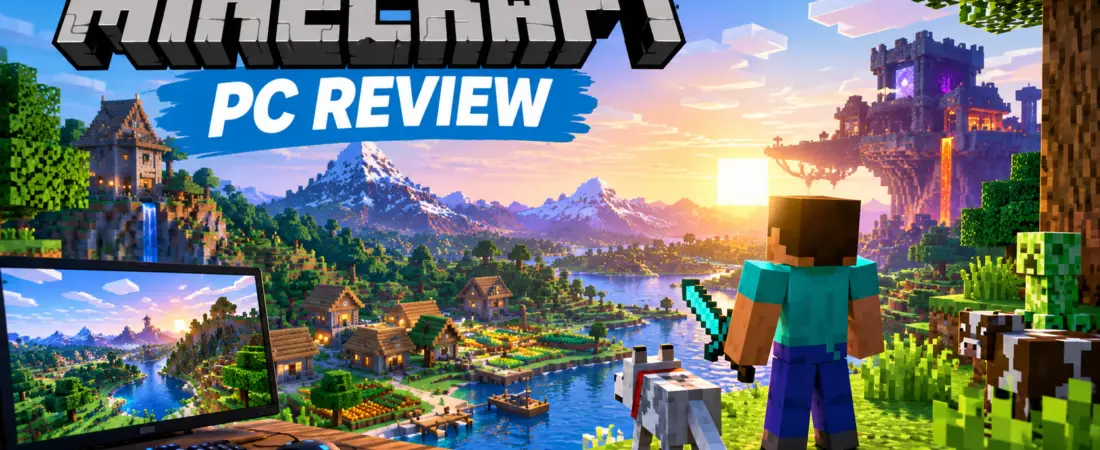
Minecraft PC remains one of the most popular sandbox games for players who enjoy exploration, building, survival, creativity, and multiplayer gameplay. Instead of forcing players to follow a single storyline, Minecraft gives you the freedom to create your own objectives and play the game however you want.
You can build enormous cities, explore caves, collect rare resources, fight dangerous enemies, create automated farms, play with friends, or simply explore a randomly generated world.
In this Minecraft PC review, we’ll look at the gameplay, game modes, Java vs Bedrock Edition, multiplayer, mods, system requirements, and everything you should know before playing Minecraft on PC.
Official Minecraft: https://www.minecraft.net/en-us/download
What Is Minecraft?
Minecraft is a sandbox game developed by Mojang Studios where players explore procedurally generated worlds made primarily from blocks.
The world contains different environments, resources, structures, creatures, and challenges. Players can collect materials and use them to craft tools, weapons, armor, buildings, farms, and many other items.
Unlike traditional games with a fixed progression system, Minecraft gives players a huge amount of freedom.
One player may spend hours building a castle, while another may focus on mining, exploration, redstone machines, farming, or multiplayer servers.
This freedom is one of the main reasons Minecraft continues to attract new and experienced players.
Minecraft PC Gameplay
The main Minecraft gameplay loop revolves around exploration, resource gathering, crafting, building, and survival.
When starting a new Survival world, you usually begin with very limited resources. You need to collect materials, create basic tools, find food, and build a safe place to survive.
As you progress, you can obtain better equipment and explore increasingly dangerous areas.
Some of the main activities include:
- Collecting wood and other resources
- Crafting tools and weapons
- Building houses and large structures
- Exploring caves
- Mining valuable ores
- Creating farms
- Exploring different biomes
- Fighting hostile mobs
- Discovering structures
- Traveling to different dimensions
- Playing with other players
There is no single correct way to experience Minecraft.
Minecraft Game Modes
Minecraft offers several game modes designed for different types of players.
Survival Mode
Survival Mode is the classic Minecraft experience.
You need to gather resources, manage your health and hunger, craft equipment, and protect yourself from hostile mobs.
The further you progress, the more resources and equipment become available.
Survival Mode is ideal for players who enjoy progression, exploration, resource management, and creating a world from scratch.
Creative Mode
Creative Mode removes many of the restrictions found in Survival.
Players can access a large selection of blocks and items and focus primarily on building and experimentation.
Creative Mode is excellent for:
- Large construction projects
- Architecture
- Testing building ideas
- Redstone experiments
- Custom maps
- Creative designs
If you enjoy building without worrying about gathering resources or surviving enemies, Creative Mode is a great option.
Adventure Mode
Adventure Mode is designed primarily for custom maps and player-created experiences.
It allows map creators to control how players interact with certain parts of the world.
Spectator Mode
Spectator Mode allows players to observe the world without playing normally.
It can be useful for exploring large builds, watching multiplayer activities, or inspecting a Minecraft world.
Minecraft Java Edition vs Bedrock Edition
One of the most common questions among PC players is whether they should play Minecraft Java Edition or Bedrock Edition.
Windows PC players can access both editions through the Minecraft package.
| Feature | Java Edition | Bedrock Edition |
|---|---|---|
| PC availability | Windows, macOS, Linux | Windows |
| Mods | Excellent mod support | Add-ons and Marketplace |
| Custom servers | Extensive | Supported |
| Cross-platform play | More limited | Strong cross-platform support |
| Controller support | More limited | Strong support |
| PC modding | Excellent | More restricted |
Which Edition Is Better?
There is no universal answer.
Java Edition is usually the better choice if you are interested in:
- Mods
- Modpacks
- Custom servers
- Technical Minecraft
- Community-developed content
Bedrock Edition is attractive if your priority is:
- Cross-platform multiplayer
- Playing with friends on different devices
- Controller support
- A more unified experience across supported platforms
The good thing for Windows PC players is that the official Minecraft package provides access to both editions.
Minecraft Mods on PC
One of the biggest advantages of playing Minecraft on PC is the huge modding community, especially around Java Edition.
Mods can change almost every aspect of the game.
Depending on the mod or modpack, you can add:
- New creatures
- New biomes
- New dimensions
- New items
- New weapons
- Technology systems
- Magic systems
- Automation
- New world generation
- Performance improvements
- Quality-of-life features
- Visual improvements
Some modpacks can transform Minecraft into an almost completely different experience.
However, players should download mods from reputable sources and create backups of important worlds before installing major modifications.
Minecraft Multiplayer
Minecraft becomes even more interesting when you play with other people.
Players can join multiplayer servers, create shared worlds, play minigames, build together, or create private survival communities.
Java Edition has a huge ecosystem of custom servers, while Bedrock is particularly useful for cross-platform multiplayer.
Minecraft also offers Realms, a hosted multiplayer option designed to make it easier for players to maintain worlds that friends can access.
The exact multiplayer features available depend on the Minecraft edition, platform, server, and account configuration.
Minecraft Exploration
Exploration is one of the most enjoyable parts of Minecraft.
Every world can contain different environments, structures, caves, oceans, forests, deserts, mountains, and other locations.
This encourages players to travel beyond their starting area and discover new resources.
Exploration can also help you find useful materials and structures that are difficult to obtain near your starting location.
As your world grows, you can create roads, railways, bridges, portals, and other transportation systems to connect different locations.
Minecraft Mining and Crafting
Mining and crafting are fundamental parts of Minecraft.
Mining allows players to collect materials from underground and other areas of the world.
Those materials can then be used to create useful items.
You can craft:
- Tools
- Weapons
- Armor
- Building materials
- Food-related items
- Storage systems
- Transportation equipment
- Redstone components
- Decorative blocks
- Various utility items
The crafting system creates a natural progression from simple wooden tools to more advanced equipment and projects.
Minecraft Redstone
For technical players, Redstone adds another entire layer of gameplay.
Redstone components can be combined to create mechanisms and automated systems.
Players have built:
- Automatic farms
- Doors
- Elevators
- Sorting systems
- Traps
- Transportation systems
- Automated machines
- Calculators
- Complex technical projects
Simple redstone mechanisms are relatively easy to learn, but advanced builds can become extremely complex.
This makes Minecraft appealing not only to builders but also to players who enjoy engineering and problem-solving.
Minecraft Dimensions
Minecraft isn’t limited to the Overworld.
Players can eventually access other dimensions with different environments, resources, enemies, and challenges.
The Nether
The Nether is a dangerous dimension containing unique environments, hostile creatures, resources, and structures.
It also provides an alternative way to travel long distances in the Overworld.
The End
The End is another important dimension in Minecraft.
Players who progress far enough can enter the End and face the Ender Dragon.
Defeating the dragon is one of the major milestones in a traditional Survival playthrough.
However, Minecraft does not require you to stop playing after defeating the dragon.
You can continue exploring, building, creating farms, playing multiplayer, or starting new projects.
Minecraft Updates
Minecraft continues to receive updates that add new content, mechanics, improvements, and technical changes.
The game has evolved considerably since its original release, but its core sandbox gameplay remains intact.
New updates can introduce new blocks, creatures, structures, environments, gameplay mechanics, technical features, and graphical improvements.
Because Minecraft development continues, players should check the official Minecraft website for the latest release information before installing or using experimental versions.
Minecraft PC Graphics
Minecraft has a distinctive block-based visual style that makes it immediately recognizable.
Despite its relatively simple basic graphics, PC players can customize the game’s appearance in many ways.
Depending on the edition, players can use:
- Resource packs
- Visual improvements
- Shaders
- Graphics settings
- Community modifications
Java Edition provides a particularly large ecosystem of community-developed visual modifications.
Keep in mind that high-resolution resource packs and shaders can significantly increase hardware requirements.
Minecraft PC System Requirements
Minecraft is generally less demanding than many modern AAA games, but actual performance depends on your settings and the way you play.
Factors such as:
- Render distance
- Resolution
- Mods
- Shaders
- Resource packs
- World size
- Graphics settings
can all affect performance.
Players using heavily modded Minecraft or advanced shaders may need significantly more powerful hardware than someone playing the standard game.
For the most accurate and current requirements, check the official Minecraft website before purchasing or installing the game.
Can You Try Minecraft for Free on PC?
Minecraft provides an official free trial for supported platforms.
The trial allows new players to experience the game before purchasing the full version.
According to Minecraft’s official information, the trial provides a limited amount of gameplay time and has restrictions compared with the full game.
For the latest trial availability and conditions, visit the official Minecraft website.
Try the official Minecraft free trial:
How to Download Minecraft for PC
The safest way to download Minecraft for PC is through the official Minecraft website.
Follow these steps:
- Visit the official Minecraft download page.
- Download the Minecraft Launcher.
- Install the Launcher.
- Sign in with your Microsoft account.
- Select the Minecraft edition available to you.
- Install the game.
- Launch Minecraft.
- Create a new world or join a multiplayer experience.
Download Minecraft for PC:
Avoid downloading unofficial copies or modified installers from unknown websites.
Minecraft Pros and Cons
Pros
- Huge freedom of gameplay
- Excellent building system
- Large exploration opportunities
- Multiple game modes
- Strong multiplayer community
- Extensive Java modding ecosystem
- Cross-platform multiplayer through Bedrock
- Regular updates
- Redstone provides complex technical gameplay
- Suitable for both casual and experienced players
Cons
- The open-ended gameplay can be confusing for beginners
- Java mods may require additional setup
- Large render distances can affect performance
- Shaders can require powerful hardware
- Some multiplayer features differ between Java and Bedrock
- The game can become overwhelming because of the huge amount of available content
Is Minecraft Worth Playing on PC?
Yes, Minecraft is still worth playing on PC.
The game’s biggest advantage is its freedom.
You can play Minecraft as a survival game, building game, exploration game, technical sandbox, multiplayer game, or even as a platform for creating your own experiences.
Java Edition is especially attractive to PC players who want extensive modding possibilities and custom servers.
Bedrock Edition is a strong choice for players who want cross-platform multiplayer and a more unified experience across supported devices.
Because Windows PC players can access both editions, you can choose the version that best matches the way you want to play.
Who Should Play Minecraft?
Minecraft is a good choice if you enjoy:
- Open-world games
- Sandbox games
- Building
- Exploration
- Survival
- Crafting
- Multiplayer
- Modding
- Creativity
- Technical gameplay
- Games with long-term replayability
It may not be the best choice if you prefer games with a strict storyline, linear missions, or highly realistic graphics.
Minecraft PC Tips for Beginners
If you’re playing Minecraft for the first time, don’t worry about trying to understand everything immediately.
Start with a simple Survival world.
Your first objectives should be:
- Collect wood.
- Create basic tools.
- Find food.
- Build a shelter.
- Create a bed.
- Explore nearby areas.
- Start mining.
- Upgrade your equipment.
- Create a reliable food source.
- Explore further as your equipment improves.
Minecraft becomes much easier once you understand the basic crafting and survival mechanics.
Don’t be afraid to experiment. Building and exploration are a major part of the fun.
Final Verdict
Minecraft PC remains one of the most versatile sandbox games available.
Its combination of survival, crafting, exploration, construction, multiplayer, redstone, and modding provides an enormous amount of content.
The game does not force you to follow one specific path. Instead, it gives you the tools to create your own experience.
For players who enjoy creativity and freedom, Minecraft can provide hundreds or even thousands of hours of gameplay.
If you’re new to Minecraft, trying the official free trial is a good way to discover whether the game matches your play style.
If you already know you want the complete experience, you can download the official Minecraft Launcher and choose between Java and Bedrock on Windows PC.
👉 Download Minecraft for PC from the Official Website
Frequently Asked Questions
Is Minecraft free on PC?
Minecraft is a paid game, but an official free trial is available for supported platforms.
Can I play Minecraft Java and Bedrock on PC?
Yes. Windows PC players can access both Java Edition and Bedrock Edition through the Minecraft package.
Which is better, Java or Bedrock?
Java is generally better for players interested in mods and custom servers, while Bedrock is particularly useful for cross-platform multiplayer.
Can I play Minecraft with friends?
Yes. Minecraft supports multiplayer, although the available features depend on the edition and platform.
Does Minecraft PC support mods?
Yes. Java Edition has a large modding community with thousands of different modifications and modpacks.
Can Minecraft run on a low-end PC?
Minecraft can run on many different PC configurations, but performance depends on render distance, resolution, mods, shaders, resource packs, and other settings.
Where should I download Minecraft?
The safest option is the official Minecraft website and Minecraft Launcher.
Is Minecraft still being updated?
Yes. Minecraft continues to receive new updates and improvements.
Minecraft PC review covering gameplay, Java vs Bedrock, system requirements, multiplayer, mods, game modes, features, and how to get Minecraft officially.